
 See your payoff date
A balance tells you where you are. Not where you're headed.
The payoff date is a guess
Without doing the math, "debt-free by when" stays a mystery.
Extra payments feel abstract
An extra $100 a month clearly helps — but by how much, exactly?
Interest adds up quietly
The total interest you'll pay rarely shows up anywhere obvious.
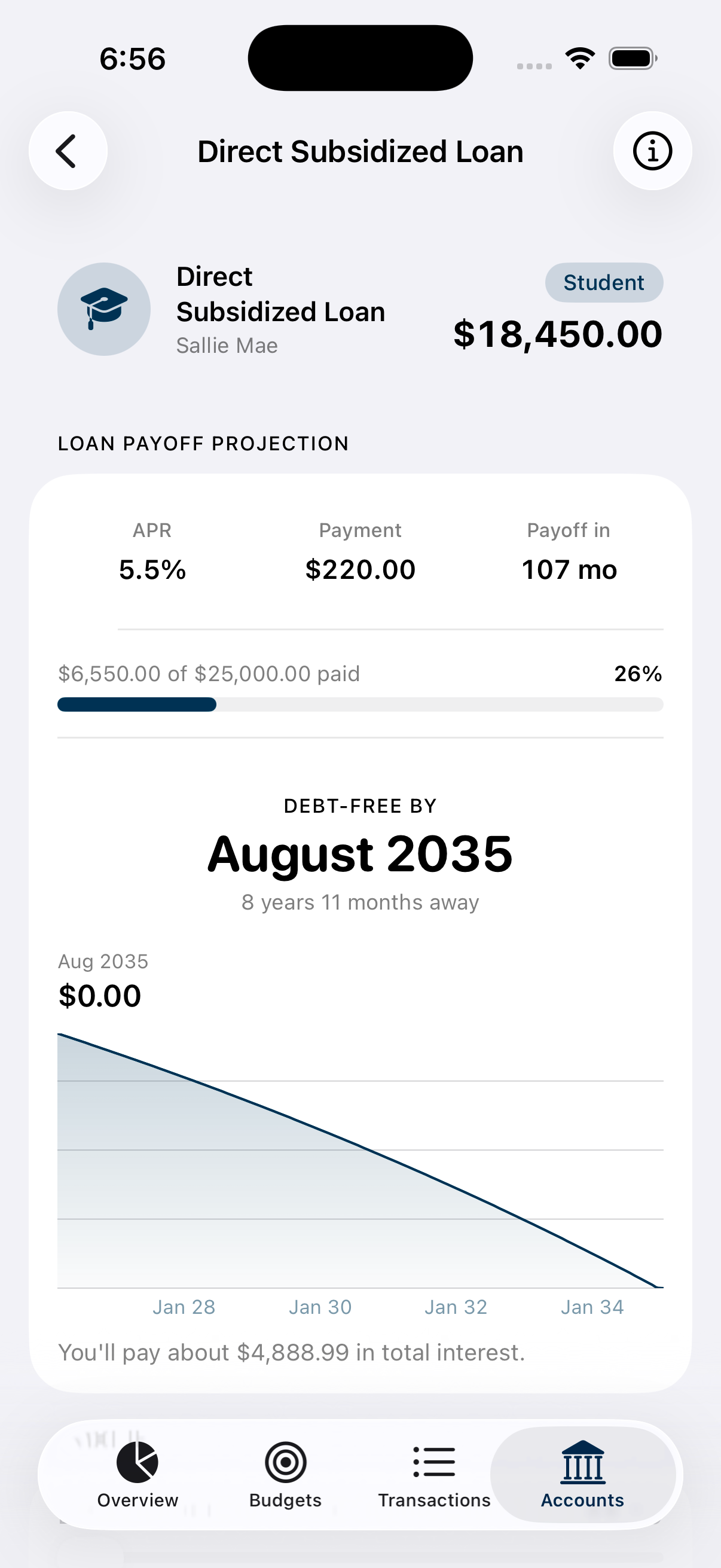
What the payoff timeline shows
Debt-free by [month, year]
A single headline date, projected from your loan's live balance.
APR, payment, payoff — at a glance
Three numbers up front, tappable for more detail.
Balance-over-time chart
Watch the loan trend to zero, month by month.
What-if comparison
See a dashed line for an extra payment or a different rate against your actual plan.
Paid-so-far progress
A simple bar showing how much of the original loan is gone.
A monthly nudge
A reminder on the 1st keeps the payment top of mind.
Setting it up
Link the loan
Mortgage, auto, student, personal, business, or a credit card — through Plaid.
Enter the terms
APR, monthly payment, and the original loan amount, once.
Get your timeline
MizuFlow projects the payoff date from there, updating as the balance moves.
Common questions
Which loans does this work for?
Any loan you link — mortgage, home equity, auto, student, personal, business, or credit cards.
Where does the projection come from?
You enter the APR and payment once; MizuFlow projects from your account's live balance.
Can I see what an extra payment would do?
Yes, a what-if comparison shows the impact of an extra payment or a different rate.
Is this part of Premium?
Yes, included with MizuFlow Premium.